Elcomsoft Quick Triage 2.2 adds a timeline, a plugin system, and file system snapshots
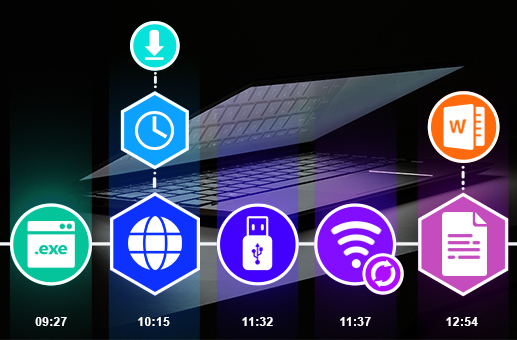
Elcomsoft Quick Triage 2.2 is out. The release adds a timeline that merges events from different artifacts into a single chronology, rebuilds artifact support around a new plugin architecture, and introduces a file system snapshot as a new artifact. Password recovery, full-text search, and BitLocker key extraction were extended as well.
Timeline
The timeline is the main addition in Elcomsoft Quick Triage 2.2. The timeline enables investigators to know what happened on the computer in what order, correlating records that from numerous different places against a time range. The timeline does the correlation and presents the result as one chronology.
Events are collected into several groups. Browser activity covers visit history and downloads. Network activity covers network data usage from SRUM and the list of networks the computer connected to, based on registry records. Recent files covers recent files and folders by last access time, while Jump Lists cover user interactions with applications and documents. Device activity covers USB connections from the registry, microphone and webcam use, and Bluetooth, and, finally, Program execution covers the BAM registry branch and Prefetch.
The view has a table and a histogram with event grouping. Filtering is fast and works the moment you start typing, event cards open directly from the timeline, and any event links back to the artifact it came from. You can export the timeline exports to PDF and XLS.
Plugin system and new artifacts
Artifact types are now plugins. This is an internal change that, in future, will allow new formats and artifacts to appear much faster. Thanks to this new plugin system, we’ve implemented six new artifact type plugins in this release: Microsoft Defender logs, Windows Update Store, the Capability Access Manager (CAM) database, Jump Lists, the Windows Search index, and Prefetch files.
File system snapshot
The new file system snapshot artifact records the selected drive’s file system as a searchable metadata table without copying the files themselves. Essentially it's a copy of the file system metadata without the contents of the files: names, paths, sizes, creation and modification times, sitting between the full disk image and per-file collection. The result is a virtual file system you can browse on another computer. It includes file names, paths, creation and modification timestamps, and other file-system-specific metadata, with search by file name or mask and sorting by creation or modification time, allowing you to see what was on the disk and where it sat.
Other improvements
Password recovery now handles Microsoft Accounts more completely. If the password is not recovered from the NTLM hash, EQT extracts the MSA hash and offers an attack on it, using rules specific to MSA.
Full-text search now parses OpenDocument files (.odt, .ods, .odp) and looks inside nested archives up to ten levels deep. A new live-session acquisition option attempts to collect the available BitLocker keys for mounted volumes. Projects load asynchronously, the wizard for the "Logical drive" source was redesigned, and a set of search and export bugs was fixed, including case sensitivity in file artifact and global search.
A full list of changes in Elcomsoft Quick Triage 2.2 is available below.
Release Notes
Artifacts and Plugins
- New: Plugin-based artifact system
- New: Artifact support for Microsoft Defender logs, Windows Update Store (WUS), CAM database, Jump Lists, Windows Search index, and Prefetch files
- New: File system snapshot artifact: table view of the file system with file metadata, search by name or mask, sorting by creation and modification time
Timeline
- New: Timeline view combining events from multiple artifacts into a single chronology, grouped into browser activity, network activity, recent files, application user interaction, device activity, and program execution
- New: Event table and histogram with event grouping, quick filtering, event cards, and a jump to the source artifact
- New: Timeline export to PDF and XLS
-
Processing, Searching, and Indexing
- New: Full-text search now parses OpenDocument files:
.odt,.ods, and.odp - New: Recursive parsing of nested archives, up to 10 levels
- Improved: Faster search and document parsing
- Fixed: Case sensitivity in file artifact and global search; global search in registry and SRUM artifacts
Password Recovery
- New: Attack on the MSA hash, offered automatically when the NTLM hash yields no password; includes MSA hash extraction and MSA-specific attack rules
Workflow and UI
- New: BitLocker key extraction for all drives in the system
- Improved: Asynchronous project loading
- Improved: Redesigned wizard for the "Logical drive" source