Forensic Cloud Extraction
Cloud services have become a highly effective, sometimes primary, source of critical information. When a physical device is missing, damaged, or securely locked, cloud data acquisition is often the only viable way to retrieve evidence. An Apple account acts as a centralized hub, aggregating data from all devices - including iPhones, iPads, and Macs - tied to that single identity.
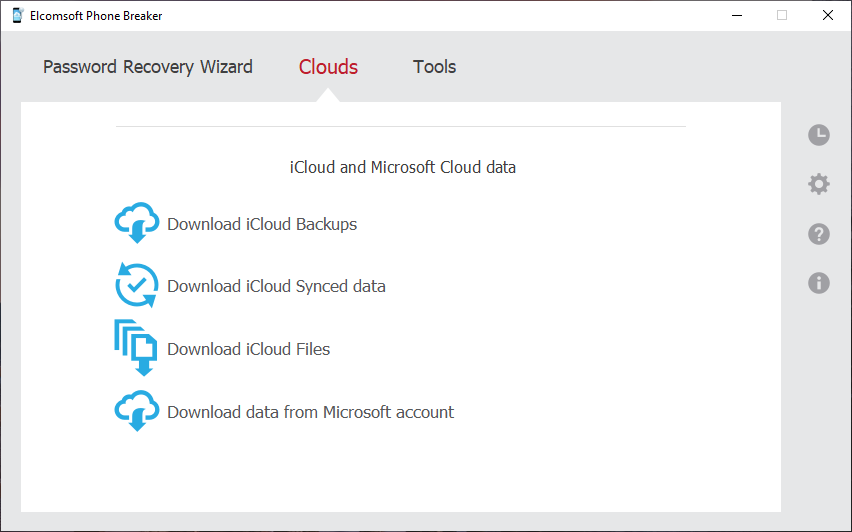
Elcomsoft Phone Breaker allows to download the vast majority of data stored in the cloud. This includes highly relevant, real-time synchronized data, as well as files from iCloud Drive, which often contain documents synced directly from a user's Mac. Device backups can also be accessed, providing a solid baseline of the user's digital footprint across their ecosystem.
Working with Local Backups
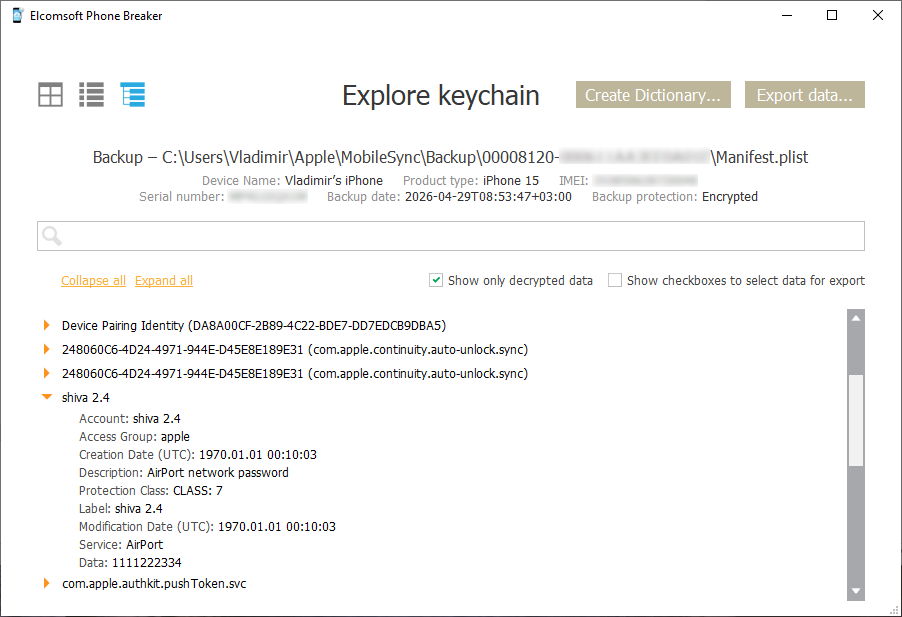
Encrypted local backups inherently contain more sensitive data than their unencrypted counterparts, making them a high-value target. Elcomsoft Phone Breaker efficiently tackles password-protected backups by utilizing smart, GPU-accelerated dictionary attacks that target password reuse and the human factor. If the password is known, the tool can decrypt the backup. Furthermore, it can optionally convert the original binary backup format into a manageable, file-system-like structure, so you can manually investigate the data. The integrated Keychain Explorer enables a quick, convenient view of the passwords extracted from the local backup's keychain in a clean, readable format.
Extracting Synchronized Data
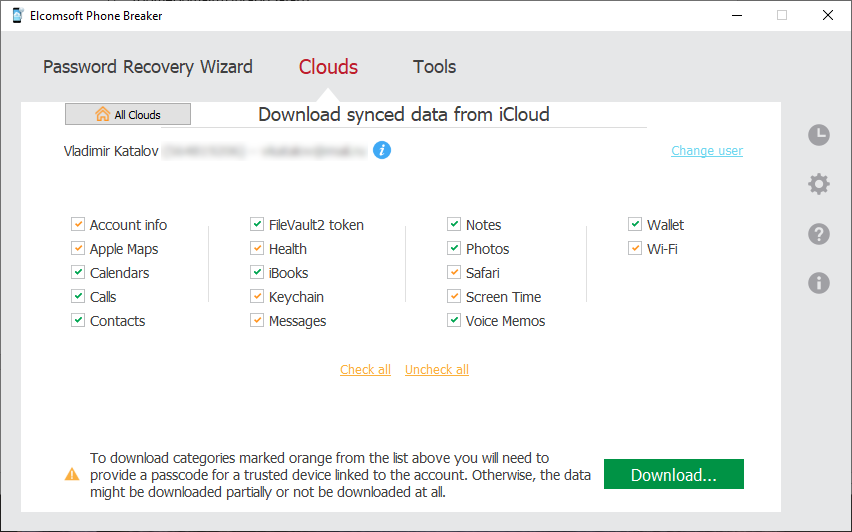
Apple devices constantly push synced data to the cloud in real time, making it one of the most up-to-date sources of information. You can extract contacts, calendars, notes, Camera Roll, and more. Notably, the tool can often retrieve records that the user believes to be permanently deleted, such as notes and media (photos and videos) that have been cleared from the recently deleted folders within the past 30 days.
Importantly, cloud data can be acquired by forensic specialists without having the original iOS device in hands. All that’s needed to access online data stored in the cloud service are the original user’s authentication credentials including the second authentication factor.
Currently supported data types include:
| Data Type | Description |
|---|---|
| Account Info | FileVault recovery tokens (for decrypting Mac disks) and a comprehensive list of all connected devices. |
| Apple Maps | Saved Favorites (Note: other map data is currently unavailable due to end-to-end encryption). |
| Calendars | User appointments and scheduled meetings. |
| Contacts | Standard address book entries. |
| iBooks | Saved literature and documents, frequently including PDF tickets. |
| Notes | Folders and attachments, often including items manually deleted or purged past the 30-day "Recently Deleted" window. |
| Photos | Cloud photo and video albums with EXIF metadata (location, time), potentially including recently or permanently deleted media. |
| Screen Time | Per-device lists of installed apps, app usage restrictions, and Family Sharing member details (names and emails). |
| Voice Memos | Saved audio recordings. |
| Wallet | Boarding passes, loyalty programs, and discount cards. |
| Web Data | Bookmarks, Reading List, and currently open tabs across devices (Note: browsing history is unavailable due to end-to-end encryption). |
Downloading Cloud Backups
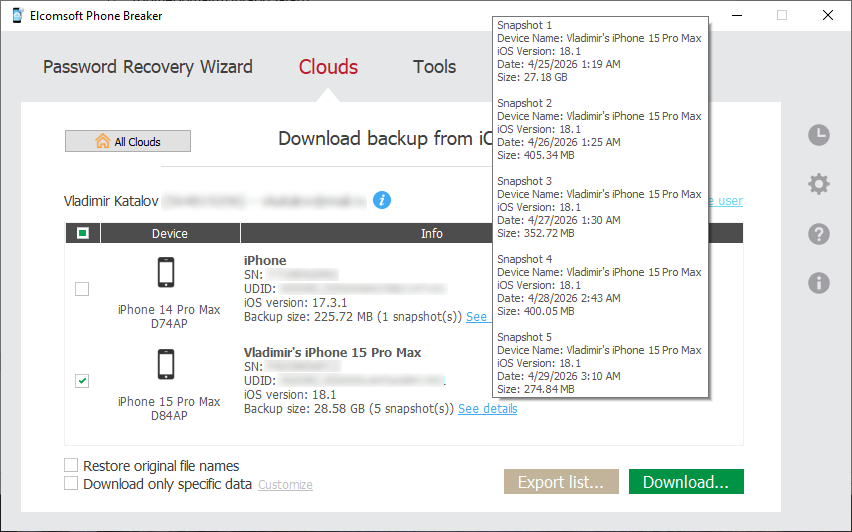
Cloud backups hold immense historical value, often containing older device states and third-party app data not synced elsewhere. iCloud backups are created automatically on a daily basis when users charge their devices while connected to a Wi-Fi network. Cloud backups can hold a large amount of evidence including third-party app data.
Apple does not provide an official mechanism for downloading iCloud backups other than restoring to a new device. Cloud backups can only be downloaded from the user's Apple account with a third-party tool such as Elcomsoft Phone Breaker.
Downloading a large backup for the very first time can potentially take hours. Subsequent updates are incremental, and occur much faster. If speed is essential, Elcomsoft Phone Breaker offers the ability to quickly acquire select information and skip data that’s taking the longest to download (such as music and videos). Information such as messages, attachments, phone settings, call logs, address books, notes, calendars, email account settings, camera roll, and many other pieces of information can be pre-selected and downloaded in just minutes, providing investigators with near real-time access to essential information.
Accessing iCloud Drive Files
The tool extracts files stored in iCloud Drive, which can be highly valuable. This includes user-generated documents, spreadsheets, and files synced directly from the Desktop, Downloads, Trash, and Documents folders of a connected Mac. It also pulls hidden third-party application data, such as encrypted WhatsApp backups.
End-to-End Encrypted Data
Apple protects certain highly sensitive categories with end-to-end encryption. This includes the iCloud Keychain, Health data, Screen Time passcodes, Maps data, and Messages in iCloud.
Current Limitation: Extraction of these end-to-end encrypted categories is temporarily unavailable due to recent infrastructure changes by Apple. This is a known issue, and we are currently working on the updates required to restore this functionality.